How to Download a Receipt
Purpose:
This section explains how guests can download a receipt for their stay.
Notes:
- Receipts can be issued after 00:00 on the check-out date.
- There are no limits on the number of times or period for issuing receipts.
- The receipt language automatically changes based on the guest’s device language.
- If a cancellation fee is charged for a prepaid reservation, a receipt can also be issued for the cancellation fee.
- For on-site payments, please request a receipt directly from the property.
1. Steps to Download a Receipt
| Step 1 | Access the Reservation Confirmation page from the link included in the Reservation Confirmation Email. | ▼Sample: |
| Step 2 | Click the [Download receipt] button. | 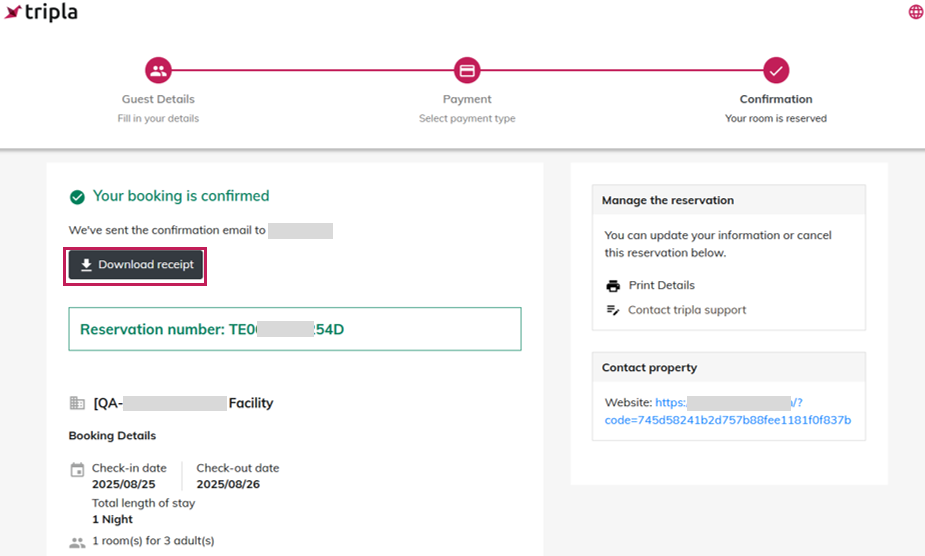
|
| Step 3 | The "Customer name for receipt" can be modified. Enter the desired name before downloading the receipt. | 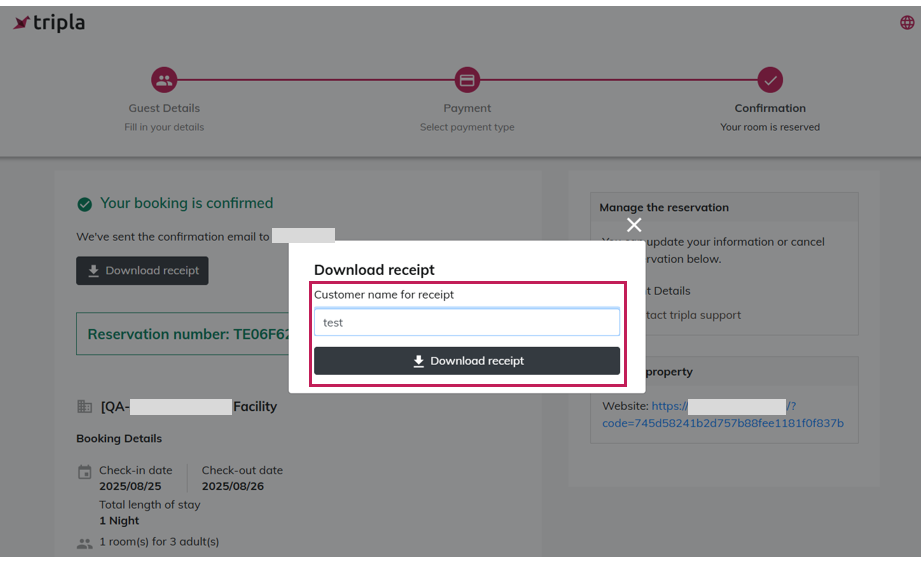
|
| Step 4 | The receipt will be downloaded in PDF format. | 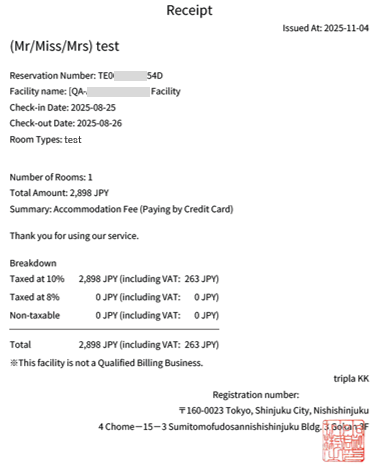
|
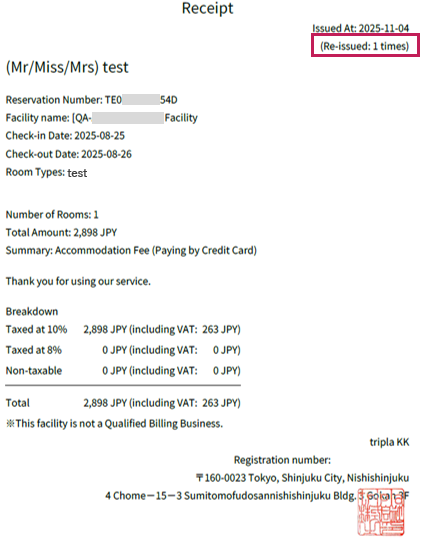
For reissues, “Re-issued (x times)” will appear under the issue date.
| 
|
| Cancellation fee | 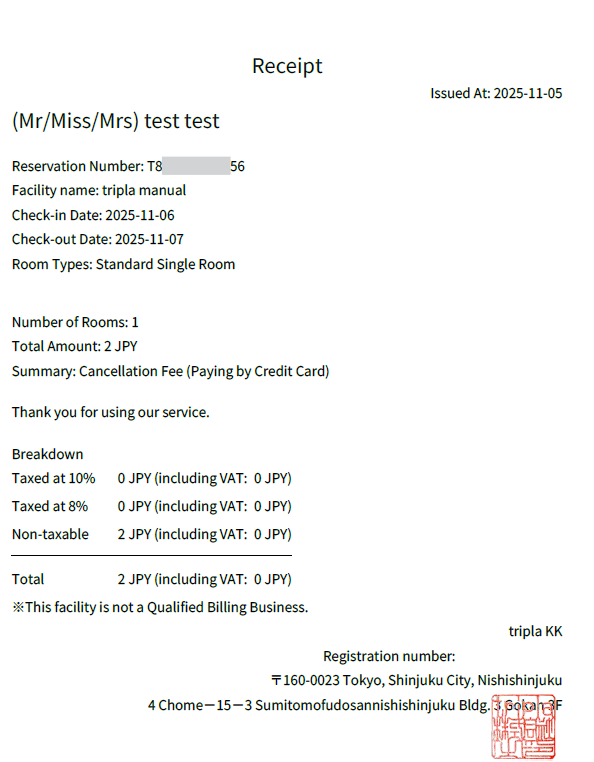 |
・The receipt includes both the hotel name and tripla Inc..
・Regardless of promotions or point usage, the displayed items remain the same.
・If the guest is registered under a Membership Program, a default "Customer name for receipt" can be set in advance.
2. Multi-Currency Reservations
Below are examples of receipts for reservations made using multi-currency payments.
3. Restrictions
It is not possible to modify the following when issuing a receipt:
Issuing receipts by individual nights or by room.
Changing the currency from the original reservation currency (e.g., converting USD to JPY).


